You can Enhance your Ad by adding a short term promotion to the listing.
First, you'll need to check if there is space available, and then you can apply Enhance by following the steps below.
1. Click on the "Promote" link in the left navigation panel.
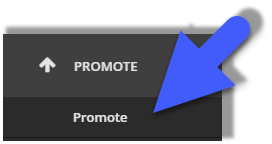
2. On the Promote screen, you will see a list of your stock. From here, click the 'Promote' button next to the item that you would like to apply Promote to. This will pop out a menu on the right side of the screen.
The menu will show all available Promote tools for the item being promoted. Use the radio button next to 'Enhance' to apply the promotion to your item, then click 'Done' at the bottom of the page.
Enhance will then be enabled for 7 days on the selected item.
Any information on this page is provided as a guide only. It is not professional or expert advice and is not a substitute for such advice. The content may not be appropriate, correct or sufficient for your circumstances and should not be relied on as the only reason you do or don’t do anything.